This was driving me nuts. When I upload videos recorded from my Pixel phone onto my WordPress blog, they would not render on the post page.
Here’s how I found the problem and how I fixed it.
The problem is the codec. An mp4 file is just a wrapper. What matters is what’s inside it. Chrome plays H.264 video reliably but if your file was encoded with H.265/HEVC (common from newer phones and screen recorders), Chrome often won’t play it even though the .mp4 extension looks fine.
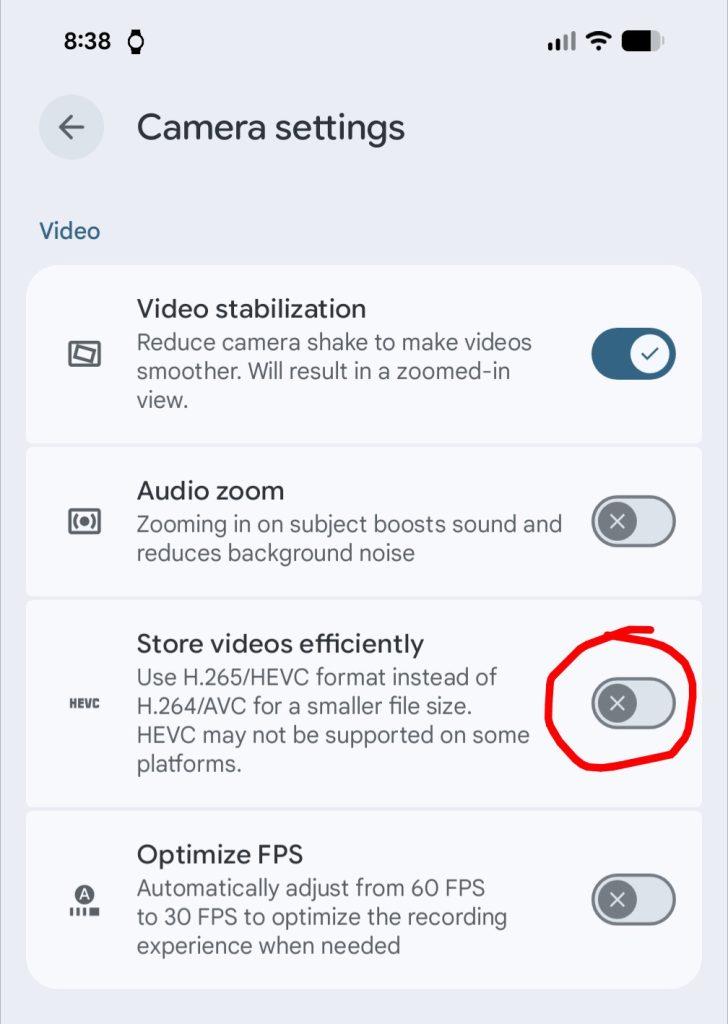
The ultimate solution is not to upload videos that are encoded with HEVC or H.265. For this I changed my Pixel 8 camera settings. Turn this off:
But to fix videos I had already uploaded, I needed to install ffmpeg ( sudo apt install ffmpeg). With that I could inspect my video files with:
ffprobe myvideo.mp4Looking out the output revealed the stream was using hvec. I was able to re-encode them with H.264 using:
ffmpeg -i input.mp4 -c:v libx264 -c:a aac -movflags +faststart output.mp4I did this right inside the WordPress wp-content directory and fixed it right on the live site (you need to rename the output file back to the original file name since that is what WordPress is expecting)
Finally, I am able to watch my own videos using Chrome that I upload here. Like check out my Traxxas Disruptor wiping out in slow motion.