Wow. I can’t believe how easy it was to install the old school 1999 Unreal Tournament! I was just talking about it yesterday with my teen son about the good ol’ days of early arena shooters. And how awesome the soundtrack was. It was just a matter going to oldunreal.com. Download, install, and shazam! Dominating! Rampage!
No ads. No account registration. No microtransactions.
Just like the old days when they made video games to be fun. Imagine that.
I can’t believe it’s still playable in 2026, and, even more surprising, that people still play it. My son and I were throwin’ down when out of nowhere someone joined our game. What!??!
It’s true.
Anyways, one more thing I learned. I play with an Xbox controller because of my tendonitis. In order to do that, I added the game to Steam (click the button in the lower left). Then press Play. Once in the game, you open the Steam Overlay with Shift+Tab. Turn your controller on and press the Bind button to connect with Bluetooth. In Steam, load the Template called Keyboard(WASD and Mouse). The left and right still didn’t work, because in the game it’s mapped to the arrow keys. I fixed this by going into Options -> Preferences -> Controls. For Strafe Left, select A. For Strafe Right, select D
In order to set up a LAN game, I needed to go to my router and enable port forwarding for 7777 – 7781

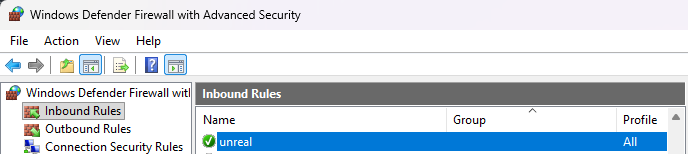
And finally, finally, finally… I *think* I opened the Windows Firewall and I needed to create an Inbound Firewall rule to the Unreal *.exe file:
That’s all from memory, I don’t think I missed anything…
See you out there. Let’s frag!
Oh and be sure to uncheck Advertise Server if you don’t want strangers popping in.